
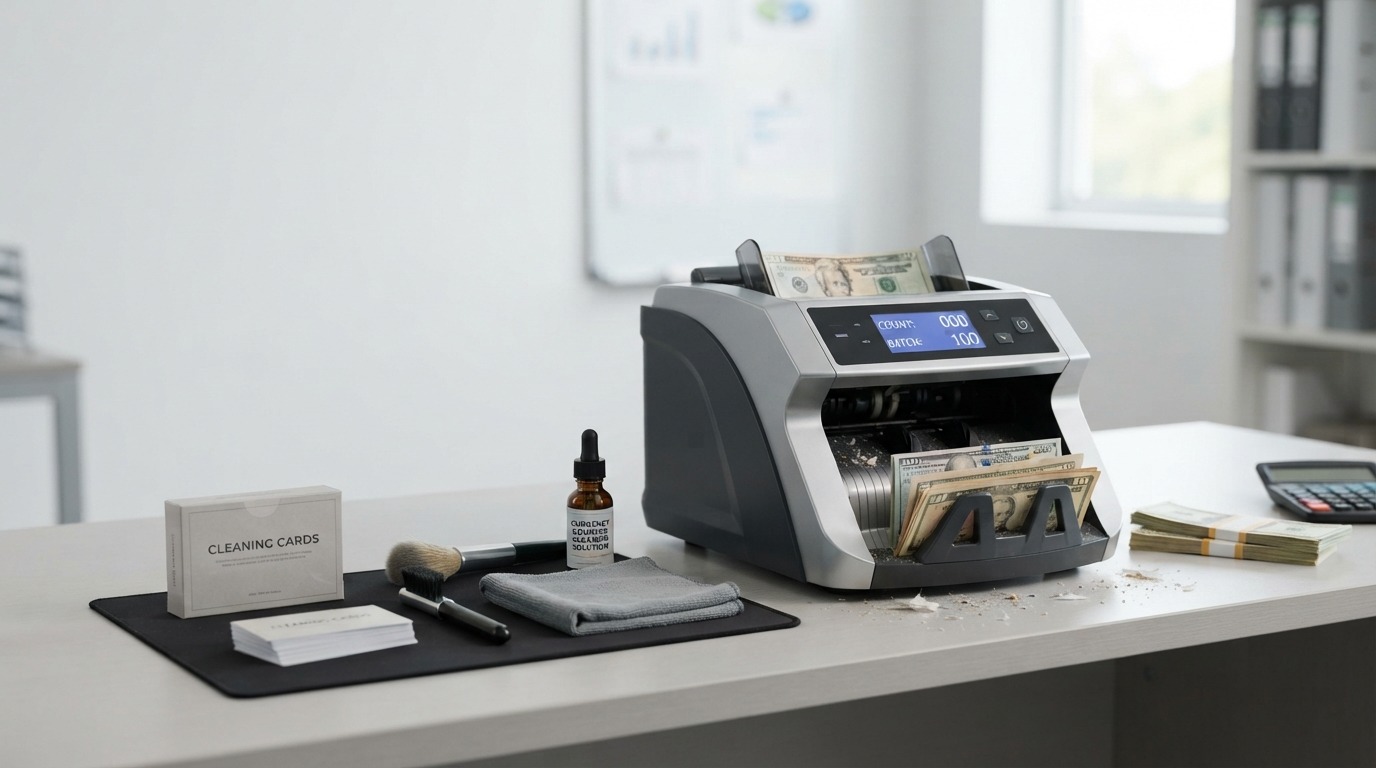
If you run a bank branch, a retail store, a casino cage, or any business that handles cash every day, you already know that a currency counter is a workhorse. It counts thousands of notes a day, sorts them, checks for counterfeits, and rarely gets a break. But like any hardworking machine, it needs regular care to keep performing well. That’s where cleaning products for currency counters come in.
Over time, dust, paper fibers, ink residue, and general debris build up inside these machines. Banknotes shed tiny particles every time they pass through rollers and sensors. That buildup doesn’t just sit there quietly. It works its way into the feeding mechanism, settles on optical sensors, and coats internal parts that need to stay clean to function correctly.
The result? Miscounts that throw off your daily totals. Feeding problems that jam the machine mid-count. Sensor errors that stop the machine altogether or, worse, let counterfeit notes slip through undetected. None of these are minor annoyances. In a cash-handling business, they cost time, money, and trust.
The good news is that most of these problems are preventable. With the right cleaning products and a consistent routine, you can keep a currency counter running smoothly for years. In this guide, we’ll walk through why cleaning matters, what products actually work, how to use them safely, how often to clean, and when it’s time to call in a professional instead of reaching for a cleaning card. By the end, you’ll have a clear, practical plan for keeping your machine in top shape.
Why Currency Counters Need Regular Cleaning
How Dust and Paper Particles Enter Currency Counters
Every banknote that passes through a currency counter leaves something behind. Paper currency is made from cotton-linen blends or polymer, and both types shed microscopic fibers and dust as they move through rollers, belts, and sensor pathways. Add in ink residue, hand oils, and everyday environmental dust from the room the machine sits in, and you have a steady supply of contaminants entering the machine with every single count.
This isn’t a rare event. It happens continuously, note after note, count after count. A machine that processes a few hundred bills a day will accumulate debris slowly. A high-volume machine in a bank or casino, processing thousands of notes daily, accumulates it fast.
Effects of Dirty Sensors and Feeding Components
Currency counters rely on optical and sometimes magnetic sensors to detect note thickness, count accurately, and catch counterfeit bills. When dust or residue coats these sensors, they can’t “see” clearly. This leads to a few predictable problems:
- The machine miscounts, either skipping notes or counting double notes as one.
- The counterfeit detection feature becomes less reliable.
- The feeding rollers lose grip, causing notes to slip, misfeed, or jam.
None of these issues mean the machine is broken. In most cases, they mean the machine is dirty. That’s an important distinction, because it means the fix is often simple maintenance rather than an expensive repair.
How Regular Maintenance Supports Consistent Counting Performance
A clean currency counter performs the way it was designed to perform. Rollers grip notes properly. Sensors read accurately. Notes feed through without hesitation. This consistency matters enormously in cash-handling environments, where even small counting errors can add up to real financial discrepancies over a day, a week, or a month.
Regular maintenance also extends the life of the machine. Dust and debris that are never removed can eventually cause more serious wear on moving parts, leading to problems that go beyond what a simple cleaning can fix.
Recommended Approach to Routine Cleaning
The most effective approach is a light, frequent cleaning routine rather than occasional deep cleans. Wiping down external surfaces daily, running a cleaning card through the machine on a regular schedule, and doing a more thorough clean weekly or monthly (depending on usage) will do far more for the machine’s long-term health than an intensive cleaning once every few months. Think of it the way you’d think about brushing your teeth versus a dental deep cleaning: small, consistent habits prevent bigger problems.
What Are Cleaning Products for Currency Counters?
Defining Currency Counter Cleaning Products
Cleaning products for currency counters are supplies specifically designed to remove dust, paper fibers, ink residue, and debris from the internal and external components of cash-counting machines. This category typically includes cleaning cards, soft brushes, compressed air, microfiber cloths, and manufacturer-approved cleaning solutions.
These products are built with the sensitivity of counting machines in mind. Currency counters contain precision sensors, delicate rollers, and electronic components that don’t respond well to harsh treatment. A product made specifically for this purpose accounts for that.
The Difference Between Specialized Products and General Cleaning Supplies
It might be tempting to reach for whatever cleaning spray or wipe is already sitting in the supply closet. But general household cleaning products aren’t designed with sensitive electronics or precision mechanical parts in mind. Many contain moisture levels, chemical solvents, or abrasive textures that can damage sensors, strip protective coatings, or leave residue behind that actually makes buildup worse over time.
Specialized cleaning products for currency counters, on the other hand, are formulated and designed specifically for this kind of equipment. Cleaning cards, for example, use a controlled, minimal amount of cleaning solution paired with an abrasive-free surface that captures debris without leaving damaging residue.
Why Manufacturer-Compatible Products Are Preferable
Currency counter manufacturers often test and recommend specific cleaning products because they know exactly how their machines are built and what those machines can tolerate. Using manufacturer-recommended or manufacturer-compatible products reduces the risk of damage and often keeps your equipment warranty intact. Some manufacturers will void a warranty if a machine is damaged by an unapproved cleaning product, so this isn’t just a performance consideration. It’s a financial one too.
Key Factors to Consider When Choosing Cleaning Supplies
When selecting cleaning products, consider:
- Compatibility with your specific machine model
- Whether the product is designed for the internal or external components (or both)
- The materials used (non-abrasive, lint-free, low-moisture)
- Ease of use and how often the product needs to be replaced or replenished
- Cost relative to how frequently you’ll need to use it, given your machine’s usage volume
Best Cleaning Products for Currency Counters
Currency Counter Cleaning Cards
Cleaning cards are one of the most common and effective tools for maintaining currency counters. They’re typically the same size and shape as a banknote, so they can be fed directly through the machine just like a bill would be.
What cleaning cards are. These cards are made from a durable material coated with a fine, non-abrasive cleaning surface. Many are pre-moistened with a cleaning solution designed to lift dust and residue without leaving damaging buildup behind.
How they clean internal surfaces and sensors. As the card passes through the machine’s feeding path, it makes contact with the same rollers and sensor surfaces that banknotes touch. The slightly textured, pre-moistened surface picks up accumulated dust, paper fiber, and ink residue along the way, cleaning the exact areas that matter most for accurate counting.
Benefits of using pre-moistened cleaning cards. Because they’re pre-moistened with a controlled amount of solution, there’s no guesswork about how much liquid to apply, and no risk of over-saturating internal components. They’re also fast and easy to use, making them practical for daily or weekly maintenance without interrupting normal operations for long.
How often cleaning cards may be used. This depends on usage volume, but many operators run a cleaning card through the machine weekly for moderate use, and more frequently (sometimes daily) for high-volume operations. Always check the manufacturer’s guidance for your specific model, since recommended frequency can vary.
Cleaning Brushes
Purpose of soft cleaning brushes. Brushes are useful for physically loosening and removing dust and paper fibers from areas a cleaning card can’t fully reach, particularly around rollers, edges, and crevices.
Areas where brushes can help. Soft brushes work well around the feeding tray, roller edges, and other accessible areas where loose debris tends to collect. They’re especially helpful as a first step before using a cleaning card, since they can dislodge larger particles of dust and fiber.
Why soft, non-abrasive brushes are important. Stiff or abrasive bristles can scratch sensor surfaces or damage delicate components. A soft-bristled brush, similar to what you’d use to clean a camera lens, is generally the safer choice for this kind of equipment.
Compressed Air
When compressed air can be useful. Compressed air is helpful for blowing loose dust and fiber out of tight spaces that are hard to reach with a cloth or brush, such as vents, gaps between components, and areas around sensors.
General precautions when using air around sensitive components. Compressed air should be used carefully and from a reasonable distance. Aiming it directly and closely at sensors or electronic components can force debris further into the machine rather than out of it.
Why excessive air pressure should be avoided. Too much pressure can dislodge or damage small components, disturb calibration, or push particles deeper into the mechanism instead of clearing them out. A short, controlled burst is generally more effective and safer than a prolonged, high-pressure spray.
Microfiber Cloths
Suitable external surfaces for microfiber cloths. Microfiber cloths are ideal for wiping down the machine’s exterior, including the casing, display screen, and any accessible external panels.
How to clean displays, covers, and other accessible areas. A dry or lightly dampened microfiber cloth can be used to gently wipe these surfaces, removing dust, fingerprints, and smudges without scratching.
Why lint-free materials are preferred. Standard cloths or paper towels can leave behind lint or small fibers, which can then find their way into the machine’s feeding mechanism. Microfiber cloths are lint-free, which makes them a safer choice for use near a currency counter.
Manufacturer-Approved Cleaning Solutions
When specialized cleaning solutions may be appropriate. For deeper cleaning beyond what a cleaning card can handle, some manufacturers offer approved liquid cleaning solutions designed specifically for their machines.
Importance of checking the manufacturer’s instructions. Before using any liquid solution on or in a currency counter, it’s essential to check the manufacturer’s documentation. Not all solutions are compatible with all machines, and using the wrong one can cause real damage.
Why unsuitable liquids can damage electronic components or sensors. Many currency counters contain sensitive electronic sensors that can be damaged by moisture, alcohol-based solvents, or chemical residue. A solution that’s safe for one type of machine may not be safe for another, which is why manufacturer approval matters so much here.
How to Choose the Right Currency Counter Cleaning Products
Choosing the right cleaning products doesn’t have to be complicated, but it does require a little bit of attention to your specific machine and how you use it.
Check the currency counter manufacturer’s recommendations. This is the most reliable starting point. Manufacturers typically publish maintenance guidelines in the machine’s manual or on their website, including which cleaning products are safe to use.
Consider machine type and cleaning requirements. A basic desktop bill counter has different cleaning needs than a high-speed, high-volume commercial sorter. More complex machines with more sensors and moving parts may require a more thorough or more frequent cleaning approach.
Choose products designed for currency-counting equipment. As covered above, purpose-built products reduce the risk of damage and tend to do a better job of removing the specific kinds of debris these machines accumulate.
Avoid abrasive or incompatible materials. Stiff brushes, rough cloths, and strong chemical cleaners are generally not suitable and can cause more harm than good.
Consider cleaning frequency and operating volume. A machine used constantly throughout the day will need cleaning supplies more often than one used occasionally. Factor this into how much of each product you keep on hand and how often you replace it.
How to Clean a Currency Counter Safely
Cleaning a currency counter isn’t difficult, but doing it in the right order helps you avoid damage and get the best results. Here’s a safe, step-by-step approach:
- Turn off and unplug the machine. This protects both you and the machine’s internal components, and it’s a basic safety step before any hands-on maintenance.
- Remove remaining banknotes and debris. Clear out any bills left in the input or output trays, and remove any visible loose debris before starting.
- Clean accessible surfaces. Use a microfiber cloth to wipe down the exterior casing, display, and any external panels.
- Use a suitable cleaning card according to its instructions. With the machine powered back on (if the card requires the machine to be running to feed through), run the cleaning card through the feeding path following the product’s specific instructions.
- Carefully clean feeding and sensor areas. Use a soft brush or compressed air, as appropriate, to remove any remaining loose dust or fiber around the feeding mechanism and sensor areas.
- Allow any approved cleaning solution to dry completely. If a liquid cleaning solution was used, give it adequate time to fully dry before powering the machine back on or feeding notes through it.
- Reassemble and test the machine. Once everything is clean and dry, turn the machine back on and run a small test count to confirm it’s working properly before returning to normal use.
Cleaning Products to Avoid
Not every cleaning product is a good fit for a currency counter. Some can cause real, sometimes costly, damage. Avoid the following:
- Harsh household chemicals. Products like bleach, ammonia-based cleaners, or strong all-purpose sprays can damage plastic housings, strip coatings, and harm sensors.
- Excessive moisture. Oversaturating any part of the machine with liquid, even a generally safe solution, increases the risk of internal damage.
- Abrasive materials. Rough sponges, scouring pads, or stiff brushes can scratch sensors and other delicate surfaces.
- Sharp tools. Using anything sharp to scrape away debris risks puncturing components or damaging sensitive parts.
- Unapproved solvents. Alcohol-based or chemical solvents not specifically approved by the manufacturer can degrade plastic parts or damage electronics.
- Excessive compressed-air pressure. As mentioned earlier, too much air pressure can dislodge components or push debris deeper into the machine.
How Often Should You Clean a Currency Counter?
There’s no single answer that fits every business, because cleaning frequency depends heavily on how much the machine is used. That said, here are some general guidelines:
Daily cleaning for high-volume operations. Businesses like banks, casinos, and cash-processing centers that run their machines almost constantly throughout the day should plan on some level of daily maintenance, such as a quick exterior wipe-down and, depending on the manufacturer’s recommendation, a daily or near-daily cleaning card run.
Weekly or periodic maintenance for moderate use. Retail stores or offices that use a currency counter a few times a day, rather than continuously, may find that a weekly cleaning routine keeps the machine performing well.
Deep cleaning based on manufacturer recommendations. Beyond routine cleaning, most manufacturers recommend a more thorough cleaning on a monthly or quarterly basis, depending on the model and usage level. Check your machine’s manual for specifics.
Signs that indicate the machine needs cleaning. Regardless of schedule, watch for warning signs that cleaning is overdue: inconsistent counts, frequent jams, slower feeding, or error messages related to sensors. These are good indicators that it’s time to clean, even if it’s ahead of your regular schedule.
Common Problems Caused by a Dirty Currency Counter
When a currency counter isn’t cleaned regularly, a range of performance issues can show up. Recognizing these problems helps you connect them back to a maintenance issue rather than assuming the machine needs to be replaced.
- Incorrect counting. Dust and residue on sensors can cause the machine to miscount, either undercounting or overcounting notes.
- Double-note detection problems. A dirty sensor may fail to catch when two notes pass through together, leading to inaccurate totals.
- Feeding difficulties. Debris on rollers reduces grip, causing notes to feed unevenly or not at all.
- Sensor errors. Accumulated dust can trigger error messages or cause the machine to stop mid-count.
- Increased paper jams. Poor grip and buildup around the feeding path make jams more likely.
- Inconsistent performance. Overall, a dirty machine tends to behave unpredictably, working fine one moment and struggling the next.
Currency Counter Cleaning Products vs. Professional Maintenance
What routine cleaning can accomplish. Regular cleaning with the right products handles the vast majority of everyday performance issues. Most miscounts, feeding hiccups, and minor sensor errors caused by dust and debris can be resolved through consistent maintenance.
When professional servicing may be necessary. Cleaning has its limits. If a machine continues to malfunction after a thorough cleaning, or if it shows signs of mechanical wear, electrical issues, or calibration problems, it’s time to bring in a professional technician.
Signs of mechanical or electronic problems that cleaning cannot solve. Persistent error codes that don’t clear after cleaning, unusual noises, visible wear on rollers or belts, or counting inaccuracies that continue despite a clean machine are all signals that something beyond dust and debris is going on.
Importance of following the manufacturer’s maintenance schedule. Many manufacturers recommend periodic professional servicing in addition to routine cleaning, especially for high-volume machines. Following this schedule can catch mechanical issues early, before they turn into bigger, more expensive repairs.
Tips for Maintaining a Currency Counter
- Keep the machine in a clean, dry environment. Reducing ambient dust and moisture in the room where the machine operates cuts down on how quickly debris builds up inside it.
- Store cleaning products properly. Keep cleaning cards, solutions, and cloths in a dry, sealed place so they stay effective and don’t degrade before use.
- Clean regularly rather than waiting for problems. A proactive routine is far more effective, and far less disruptive, than reactive cleaning done only after something goes wrong.
- Follow the equipment manual. Manufacturer instructions are written for your specific model and are the most reliable source of guidance for both cleaning and general upkeep.
- Keep a simple maintenance schedule. A basic log or calendar reminder for cleaning tasks helps ensure nothing gets missed, especially in busy environments with multiple staff members using the machine.
- Inspect the machine for unusual behavior. Periodically check for early warning signs, like slower feeding or occasional error messages, so small issues don’t turn into bigger ones.
Frequently Asked Questions
What is the best cleaning product for a currency counter?
Specialized cleaning cards are generally considered the most practical, everyday solution, since they’re designed to clean the exact surfaces that matter most: rollers and sensors along the feeding path. Beyond that, manufacturer-approved cleaning solutions are a good option for deeper cleaning when recommended by the equipment maker. The “best” product ultimately depends on your specific machine, so it’s worth checking what the manufacturer recommends for your model.
Can I use regular household cleaners on a currency counter?
Generally, no. Household cleaners often contain chemicals, moisture levels, or abrasive properties that aren’t designed with sensitive electronics or precision mechanical parts in mind. They can leave residue behind, damage sensors, or degrade internal components. Sticking to products designed specifically for currency counters is the safer choice.
How often should I use a currency counter cleaning card?
This depends on how often the machine is used. High-volume operations may benefit from more frequent use, sometimes daily, while machines used more moderately might only need a cleaning card weekly. Manufacturer guidance for your specific model is the best source for an exact recommendation.
Can cleaning improve currency counter accuracy?
Yes, in many cases. Removing dust, paper fiber, and residue from sensors and rollers helps the machine read notes accurately and feed them consistently, which directly supports counting accuracy. That said, cleaning won’t fix problems caused by mechanical wear or electronic faults. If accuracy issues continue after a thorough cleaning, it’s worth having the machine professionally inspected.
What should I use to clean currency counter sensors?
Sensors are among the most sensitive parts of a currency counter, so it’s best to follow the manufacturer’s specific instructions for cleaning them. In general, this means using an appropriate cleaning card and, where needed, gentle, non-abrasive tools like a soft brush or carefully applied compressed air, rather than any general-purpose cleaning product.
Final Thoughts
A currency counter is a precision tool, and like any precision tool, it performs best when it’s properly maintained. Using the right cleaning products for currency counters, cleaning cards, soft brushes, compressed air, microfiber cloths, and manufacturer-approved solutions where needed, goes a long way toward preventing miscounts, feeding problems, and sensor errors before they start.
Regular, preventive cleaning is almost always easier and less costly than dealing with the fallout of a neglected machine. Build a simple routine, follow your manufacturer’s recommendations closely, and pay attention to early warning signs. Do that consistently, and your currency counter should keep delivering accurate, reliable performance count after count, day after day.

