
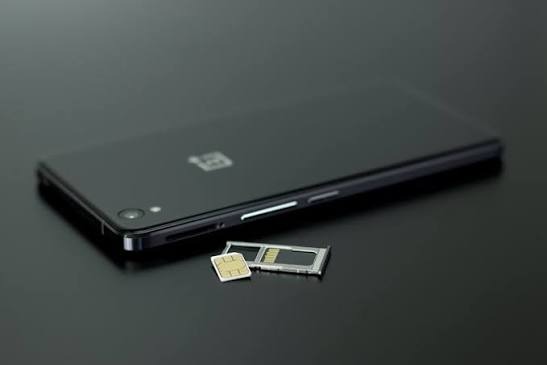
If you have searched for “how can I clone a SIM card,” you may be trying to understand how SIM cloning works, whether it is still possible, or how to protect your phone number from this type of attack. SIM card security is an important part of modern digital security because your mobile number may be connected to email accounts, social media profiles, banking services, and other online accounts.
SIM cloning refers to the unauthorized duplication of information associated with a subscriber identity module, commonly called a SIM card. The purpose of such an attack may be to gain unauthorized control over mobile services or use a victim’s phone number as part of a larger account takeover attempt.
It is important to separate cybersecurity education from instructions that could help someone compromise another person’s SIM. This guide therefore explains what SIM cloning is, how the threat differs from SIM swapping, what warning signs to watch for, and how to protect your accounts without providing operational instructions for cloning a SIM.
Understanding the threat is useful because your phone number is often more than a way to make calls. It can also act as an account recovery method and a verification channel. Protecting it should therefore be part of your overall cybersecurity plan.
What Is SIM Card Cloning?
A SIM card is a small subscriber identity module used by a mobile network to identify and authenticate a subscriber. Depending on the technology and device, a SIM or related embedded SIM technology allows a mobile device to connect to a carrier’s network under a particular subscriber identity.
SIM cloning generally refers to unauthorized duplication of subscriber-related information so that another SIM or device may attempt to impersonate the legitimate subscriber. Historically, researchers discovered weaknesses in some older SIM technologies that could expose sensitive authentication information.
Modern mobile networks use stronger security technologies than many older systems. As a result, claims that anyone can simply copy any modern SIM card in a few minutes are usually misleading or oversimplified.
The important point for everyday users is that SIM cloning is a security issue rather than a normal phone customization technique. You should never attempt to duplicate another person’s SIM credentials or use unauthorized access to someone else’s mobile account.
If your goal is cybersecurity research, the safest approach is to study the concept in an authorized laboratory environment. Defensive knowledge can help you understand the risks without putting another person’s privacy, accounts, or communications at risk.
How Can I Clone a SIM Card?
The question “how can I clone a SIM card” can have different meanings depending on why someone is asking it. A cybersecurity student may want to understand the technology, while another person may be worried that their own SIM has been compromised.
For legitimate security education, it is useful to understand the concept at a high level. SIM-related attacks can involve weaknesses in authentication, unauthorized access to subscriber information, social engineering, compromised accounts, or other security failures.
However, providing specific instructions for extracting authentication secrets, duplicating credentials, bypassing carrier protections, or creating an unauthorized working copy could facilitate account compromise. Those details should not be treated as a normal how-to procedure.
Instead, the safer question is:
How can I understand SIM cloning and protect myself from it?
The answer starts with recognizing that your mobile number is part of your digital identity. You should protect your carrier account, avoid sharing verification codes, use strong authentication methods, and react quickly if your mobile service suddenly behaves differently.
Is SIM Cloning Still Possible Today?
SIM technology has changed significantly over time. Older generations of mobile technology contained security weaknesses that researchers were able to study and demonstrate. Modern SIM and mobile-network systems have introduced stronger authentication and improved security controls.
That does not mean mobile accounts are completely immune to attacks. Cybercriminals may focus on the human and account-management side of telecommunications rather than trying to technically duplicate a SIM.
For example, SIM swapping can involve convincing a mobile carrier to move a victim’s phone number to a different SIM or device. This is different from technically cloning a SIM, but the consequences can still be serious.
This is why users should not focus only on the question of whether a physical SIM can be cloned. A broader approach to mobile security is much more useful.
Protecting the carrier account, email account, financial accounts, and recovery methods can significantly reduce the impact of many phone-number-related attacks.
SIM Cloning vs. SIM Swapping
SIM cloning and SIM swapping are often confused because both involve mobile subscriber identities. However, they describe different security problems.
SIM cloning generally refers to unauthorized duplication of information associated with a subscriber identity. The attacker is attempting to create another identity that can potentially be used in connection with the victim’s mobile service.
SIM swapping, on the other hand, usually involves the transfer of a victim’s mobile number from their legitimate SIM to another SIM through a carrier account or customer-support process.
The distinction matters because the warning signs can be different.
A suspected SIM swap may cause your legitimate phone to suddenly lose cellular service. You might also receive a carrier notification saying that your SIM or service has changed.
SIM cloning may not necessarily produce exactly the same symptoms. That is one reason users should consider other account-security signals as well.
Both situations demonstrate an important cybersecurity principle: your mobile number should not be treated as your only security key.
Why Is SIM Cloning a Security Concern?
A mobile number can be connected to many online services. People commonly use their phone numbers for account recovery, login alerts, two-factor authentication, messaging, and identity verification.
If an attacker gains unauthorized control over a number, they may attempt to use that control as part of a larger account takeover campaign.
For example, an attacker might target an email account that uses SMS for recovery. If the attacker can interfere with the victim’s mobile service, the phone number may become one part of the attack.
The risk becomes greater when the same phone number is connected to many important services.
This does not mean that a compromised SIM automatically gives someone access to every account. Account security depends on many factors, including passwords, authentication methods, device security, recovery options, and provider protections.
Still, securing your mobile account is an important layer of defense.
What Information Could Be at Risk?
The potential impact of a mobile-number compromise depends on the services connected to that number.
Your Mobile Number
Your phone number is often used as a personal identifier. Friends, family members, schools, businesses, and online services may associate your number with your identity.
Unauthorized control could therefore create confusion and privacy concerns.
SMS Verification Messages
Some websites use SMS messages as a second authentication factor or account-recovery method.
SMS authentication can be useful, but it is not always the strongest available option. Where supported, an authenticator application or hardware security key may provide stronger protection.
Online Accounts
An attacker who gains control of a phone number may attempt to target accounts associated with it.
The risk is especially important when the account has weak password security or relies heavily on SMS recovery.
Personal Information
A phone number may be connected to names, addresses, social media accounts, email addresses, and other information.
Attackers can sometimes combine information from different sources to make social-engineering attempts more convincing.
Warning Signs Your SIM or Mobile Number May Be Compromised
One of the most important parts of SIM security is recognizing unusual behavior.
A sudden loss of cellular service can be one warning sign. If your phone normally has service but unexpectedly shows no network connection, you should investigate rather than immediately assuming that the problem is a normal outage.
Unexpected carrier messages are another potential warning sign. If you receive a notification about a SIM replacement, account change, or mobile-number transfer that you did not request, contact your carrier through an official channel.
You should also pay attention to unexpected password-reset notifications.
For example, if you suddenly receive security messages for an account you were not trying to access, check the account directly using its official application or website rather than clicking an unfamiliar link.
Unusual activity on your email or social media accounts can also be relevant.
You might notice unfamiliar login alerts, password-change notifications, recovery-email changes, or other security events.
Remember that one symptom does not automatically prove SIM cloning. Network outages, damaged SIM cards, device problems, and carrier maintenance can produce similar effects.
The safest approach is to investigate multiple signals.
What Should I Do If I Suspect SIM Cloning?
If you believe your mobile number may have been compromised, act quickly.
Contact Your Mobile Carrier
The first step is usually to contact your mobile carrier using an official support method.
Explain that you are experiencing unexpected mobile-service behavior or believe that your account may have been changed without authorization.
Ask the carrier to review recent account activity and verify that your number and SIM information are correct.
Avoid relying on phone numbers or links sent through suspicious messages. Use the carrier’s official website, application, or documentation to find legitimate support information.
Secure Your Carrier Account
If your carrier provides an account password, PIN, security question, or additional verification feature, make sure those protections are enabled.
Use a strong, unique password whenever possible.
Do not reuse your carrier-account password on other websites.
Password reuse can increase the impact of a breach because an attacker who obtains one password may try it on multiple services.
Secure Your Email Account
Your email account is particularly important because it may be used to reset passwords for other services.
Check your email account for unfamiliar login sessions.
Review recovery settings.
Change the password if you suspect that it has been exposed.
Where possible, enable a stronger form of multi-factor authentication.
Secure Other Important Accounts
Review your important online accounts for unusual activity.
Look at recent login notifications and security settings.
If you find anything suspicious, follow the provider’s account-recovery or security process.
Do not wait for a major problem before securing your accounts.
Monitor Financial Accounts
If your phone number compromise may affect accounts involving money, carefully review recent activity.
If you see something you do not recognize, contact the relevant financial institution using its official contact information.
Fast reporting can be important when dealing with suspected unauthorized activity.
How to Protect Yourself From SIM-Related Attacks
Prevention is usually easier than recovering a compromised account.
One of the simplest steps is to create a strong password for your mobile carrier account.
Your carrier account should have a password that is different from your email, social media, and other passwords.
You should also avoid sharing one-time verification codes.
A legitimate company may ask you to complete verification through its normal security process, but you should be cautious if an unexpected person asks you to read a code aloud or send it through a message.
Another important step is to reduce your dependence on SMS for highly sensitive accounts.
If an account supports an authenticator application or security key, consider using those stronger methods instead of relying entirely on text-message verification.
You should also protect your email account carefully.
An attacker who takes over your email may be able to reset passwords for many other services. Email security is therefore closely connected to mobile security.
Use Strong and Unique Passwords
Strong passwords remain one of the basic defenses against account compromise.
A good password should be difficult for someone else to guess and should not be reused across multiple important services.
If you have many accounts, a reputable password manager can help you create and store unique passwords.
Avoid using easily guessed information such as birthdays, names, school names, or common phrases.
You should also avoid sharing your passwords with other people.
Use Multi-Factor Authentication
Multi-factor authentication, often called MFA, adds another security layer to an account.
Instead of relying only on a password, an account may require another verification method.
Different services support different authentication methods.
SMS-based verification can be better than having no additional protection, but stronger options may be available.
Protect Yourself From SIM Swap Scams
SIM-related attacks can sometimes involve SIM swapping, where criminals attempt to move a victim’s mobile number to another SIM. If you want to understand this risk in more detail, the Federal Trade Commission (FTC) provides useful consumer guidance about SIM swap scams and practical steps for protecting your phone number. Read the FTC’s SIM Swap Scam guidance
Authenticator applications and physical security keys can provide alternatives that are less dependent on your mobile carrier.
For your most important accounts, check which security options the provider offers.
Protect Your Recovery Information
Account recovery settings are often overlooked.
Many people carefully protect their password but forget that someone who controls the recovery method may still be able to take over the account.
Review your recovery email address and phone number.
Make sure they are accurate.
Remove old recovery methods that you no longer control.
If a service provides backup codes, store them securely and do not publish or share them.
Recovery information should receive the same level of attention as your main password.
Be Careful With Social Engineering
Technology is only one part of cybersecurity.
Attackers may attempt to manipulate people into revealing information.
This is known as social engineering.
Someone may pretend to be a mobile carrier employee, customer-support representative, friend, or another trusted person.
They may create a sense of urgency.
They may claim that your account has a problem and ask you to provide personal information or a verification code.
Do not allow pressure to override your normal security habits.
If you are uncertain, stop the conversation and contact the organization independently using an official channel.
What Is the Difference Between SIM Cloning and SIM Duplication for Legitimate Purposes?
Not every situation involving multiple SIMs is malicious.
Mobile carriers may provide legitimate replacement SIMs when a SIM is damaged, lost, or upgraded.
Some carriers also support eSIM technology, which allows compatible devices to use a digital SIM profile.
These legitimate processes are managed by the carrier and are different from unauthorized SIM cloning.
If you need to move your mobile service to a new phone, use the official carrier process.
Do not attempt to copy subscriber credentials yourself.
Following the official process helps ensure that the carrier’s security controls remain active.
Can Someone Clone My SIM Remotely?
People often ask whether an attacker can clone a SIM simply by knowing a phone number.
Knowing someone’s phone number alone does not automatically provide the information required to duplicate a modern SIM.
There are many layers of security involved in mobile networks.
However, a phone number can still be useful information for social engineering.
An attacker may combine a phone number with other publicly available information in an attempt to impersonate the account owner.
This is why privacy matters.
Avoid publicly sharing unnecessary personal information, and be cautious about messages asking for sensitive details.
Does SIM Cloning Give Someone Access to My Phone?
SIM-related compromise and physical device compromise are not the same thing.
A SIM contains subscriber-related information used by the mobile network. Your phone itself contains applications, files, photographs, saved sessions, and other information.
Someone gaining unauthorized control over a phone number does not automatically mean that they have unlocked your physical device.
However, a compromised number may potentially be useful in attacks against online accounts.
That is why you should protect both the physical device and the accounts connected to your number.
Use a strong device passcode.
Keep your operating system updated.
Install applications only from trusted sources.
Review application permissions regularly.
These basic measures can reduce many different types of security risks.
Can SIM Cloning Affect Banking Accounts?
A compromised mobile number can become relevant to financial-account security if a banking or financial service uses that number for verification or recovery.
This is one reason financial accounts should use every available security feature.
Do not assume that receiving an SMS is the only indicator of account security.
Review your financial institution’s recommended authentication options.
Turn on security notifications.
Monitor transactions.
If you receive an unexpected security message, access your financial account through the official application or website rather than clicking an unknown link.
If you suspect unauthorized activity, contact the institution promptly.
Common Myths About SIM Cloning
There are many inaccurate claims online about SIM cloning.
Anyone Can Clone Any SIM in Minutes
Modern mobile-network security is more complicated than many online videos suggest.
The security of a SIM depends on the technology involved, the carrier, authentication systems, and other factors.
Losing Mobile Service Always Means Your SIM Was Cloned
Not necessarily.
A carrier outage, damaged SIM, device problem, or network issue can also cause a loss of service.
Investigate before reaching a conclusion.
A New Phone Automatically Means Your SIM Is Compromised
Changing phones is a normal activity.
If you use the carrier’s official SIM or eSIM transfer process, there is no reason to assume that your number has been cloned.
A Phone Number Is a Password
A phone number should not be treated as a secret password.
It can often be discovered through legitimate sources.
The important protection comes from the authentication systems attached to your accounts.
SMS Authentication Makes an Account Completely Secure
SMS verification can add useful protection, but it has limitations.
Where stronger authentication is available, consider using it for important accounts.
SIM Security Checklist
You can use the following checklist to improve your mobile security.
- Create a strong password for your carrier account.
- Use a unique password that you do not reuse elsewhere.
- Enable available carrier security features.
- Never share unexpected verification codes.
- Use stronger MFA methods where available.
- Protect your email account.
- Review account-recovery settings.
- Monitor unexpected carrier notifications.
- Watch for sudden loss of mobile service.
- Review important account login alerts.
- Keep your phone’s software updated.
- Install applications from trusted sources.
- Avoid suspicious links and messages.
- Contact your carrier quickly if something appears wrong.
- Monitor important financial accounts for unusual activity.
Following these steps can improve your overall digital security even if you never encounter a SIM-related attack.
What Should Parents and Families Know About SIM Security?
Families should discuss basic mobile security habits with everyone who uses a connected device.
Young users should understand that verification codes and account passwords are private.
They should also know that someone who claims to be a company representative is not automatically trustworthy.
Families can create a simple rule: never share passwords or verification codes through an unexpected message or call.
Parents and guardians can also help family members review important account recovery settings.
The goal is not to make technology frightening.
Instead, it is to build simple habits that make suspicious activity easier to recognize.
Why Your Email Account Is So Important
Your email account may be one of the most important accounts connected to your phone number.
Many websites use email for password recovery.
If someone gains access to your email, they may be able to reset passwords for other services.
For this reason, protecting your email can sometimes be more important than protecting any individual social media account.
Use a unique password.
Enable MFA.
Review active sessions.
Check recovery information.
Pay attention to security alerts.
These steps can create an additional barrier even if your phone number is targeted.
What to Do After a Suspicious SIM Event
If your carrier confirms that an unauthorized change occurred, continue checking your other accounts.
Start with email.
Then review financial accounts and other services that use your mobile number for authentication or recovery.
Change passwords where necessary.
Review login sessions.
Remove unfamiliar devices.
Update recovery information.
If you believe personal information was stolen or an account was used without permission, follow the appropriate reporting and recovery process in your country.
Do not attempt to retaliate against the suspected attacker.
Focus on securing your accounts and documenting the incident.
Why Authorized Cybersecurity Research Matters
There is a legitimate place for learning about SIM security.
Cybersecurity professionals, telecommunications researchers, and students may study mobile authentication technologies to understand vulnerabilities and improve defenses.
The important distinction is authorization.
Security testing should be conducted on systems, devices, accounts, and networks that you own or have explicit permission to test.
Researchers can use controlled environments to study concepts without accessing someone else’s private information.
This approach allows people to learn valuable cybersecurity skills while respecting privacy and security boundaries.
FAQ :
Can I legally clone another person’s SIM?
You should not duplicate or use another person’s subscriber credentials without authorization.
Unauthorized access can violate privacy, telecommunications rules, computer-access laws, or other regulations depending on the circumstances and jurisdiction.
For legitimate learning, use authorized systems and controlled research environments.
How do I know if my SIM has been cloned?
There is no single symptom that proves SIM cloning.
Possible warning signs include unexpected carrier notifications, sudden loss of service, unfamiliar account activity, or unexpected security messages.
Because other technical problems can cause similar symptoms, contact your carrier for confirmation.
Is SIM swapping the same as SIM cloning?
No.
SIM cloning generally refers to unauthorized duplication of subscriber-related information, while SIM swapping commonly refers to moving a victim’s mobile number to another SIM through a carrier process.
They are different threats, although both can create account-security problems.
Can someone clone my SIM with only my phone number?
A phone number by itself does not automatically provide the information required to duplicate a modern SIM.
However, a phone number can be useful to an attacker attempting social engineering.
Protect your personal information and never share authentication codes with unexpected callers or messages.
Is an eSIM safer than a physical SIM?
Security depends on the carrier, device, account protections, and implementation.
eSIM technology changes how the subscriber profile is stored and managed, but users still need strong account security.
The best approach is to enable the security features offered by your carrier and device.
What should I do if my phone suddenly loses service?
First, consider ordinary causes such as a network outage or device issue.
If the problem is unexpected and especially if you receive a carrier notification about a SIM or account change, contact your carrier through an official channel.
Then review your important online accounts for unusual activity.
Should I stop using SMS authentication?
Not necessarily.
SMS authentication can provide an additional layer of security.
However, if an important account offers stronger methods such as an authenticator application or security key, consider using those options.
Can a cloned SIM access my photographs?
SIM-related compromise does not automatically provide access to photographs stored on your physical phone.
Phone storage and SIM authentication are different things.
Protect your device with a strong passcode and keep your operating system updated.
Can SIM-related attacks lead to identity theft?
A compromised phone number can potentially become one component of a broader identity or account-takeover attack.
That is why it is important to protect your mobile account and the other accounts connected to your number.
Final Thoughts:
The search query “how can I clone a SIM card” often brings up confusing information because SIM cloning, SIM swapping, and legitimate SIM replacement are sometimes treated as the same thing. In reality, they are different concepts, and modern mobile networks use several security measures to protect subscriber information. Instead of trying to duplicate a SIM, it is much more useful to understand the risks and learn how to protect your own mobile number.
Keeping your carrier account secure is an important first step. Use a strong and unique password, enable available security features, and never share passwords or unexpected verification codes with anyone. You should also protect your email and other important online accounts with strong authentication methods. When available, consider using an authenticator app or security key instead of relying only on SMS verification.
Finally, pay attention to unusual activity. Unexpected loss of mobile service, unfamiliar carrier notifications, strange password-reset messages, or unknown account activity may indicate that something needs to be investigated. These signs do not automatically prove SIM cloning, but they are good reasons to contact your carrier and review your account security. By focusing on prevention, awareness, and responsible cybersecurity practices, you can better protect your phone number and the digital accounts connected to it.

